What is a bank statement converter?
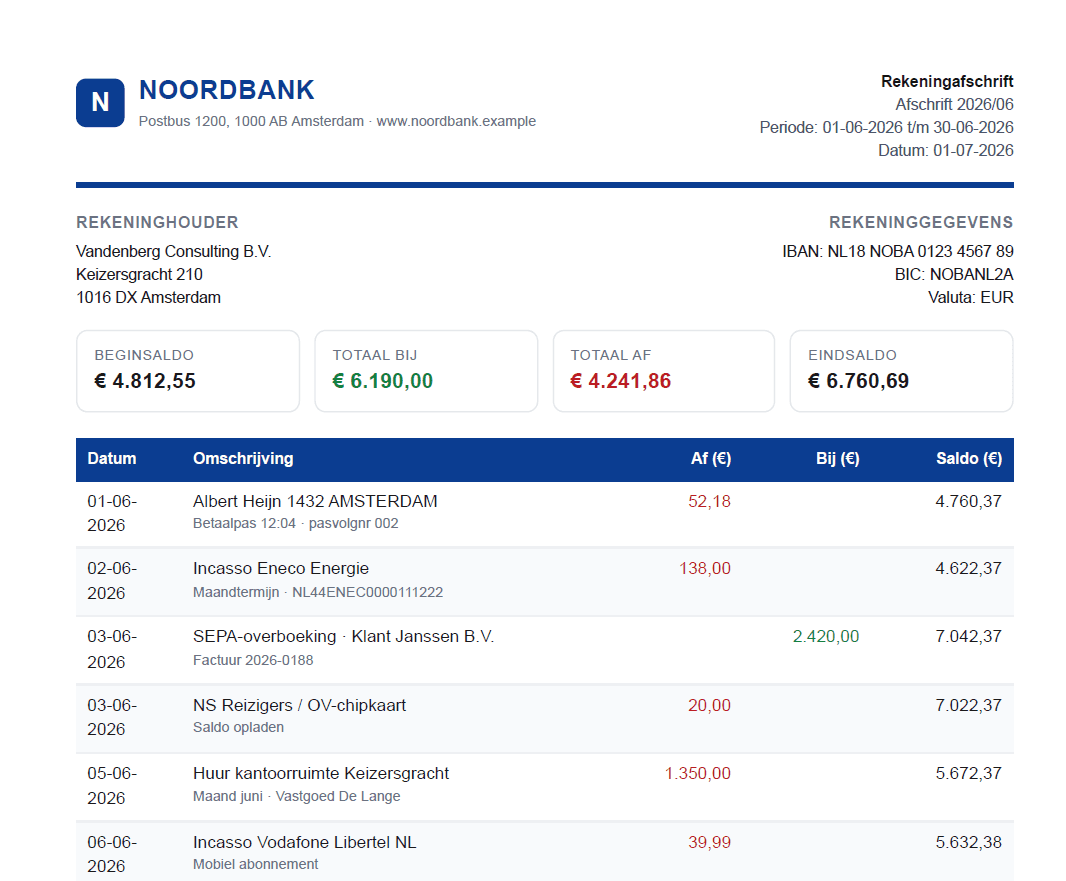
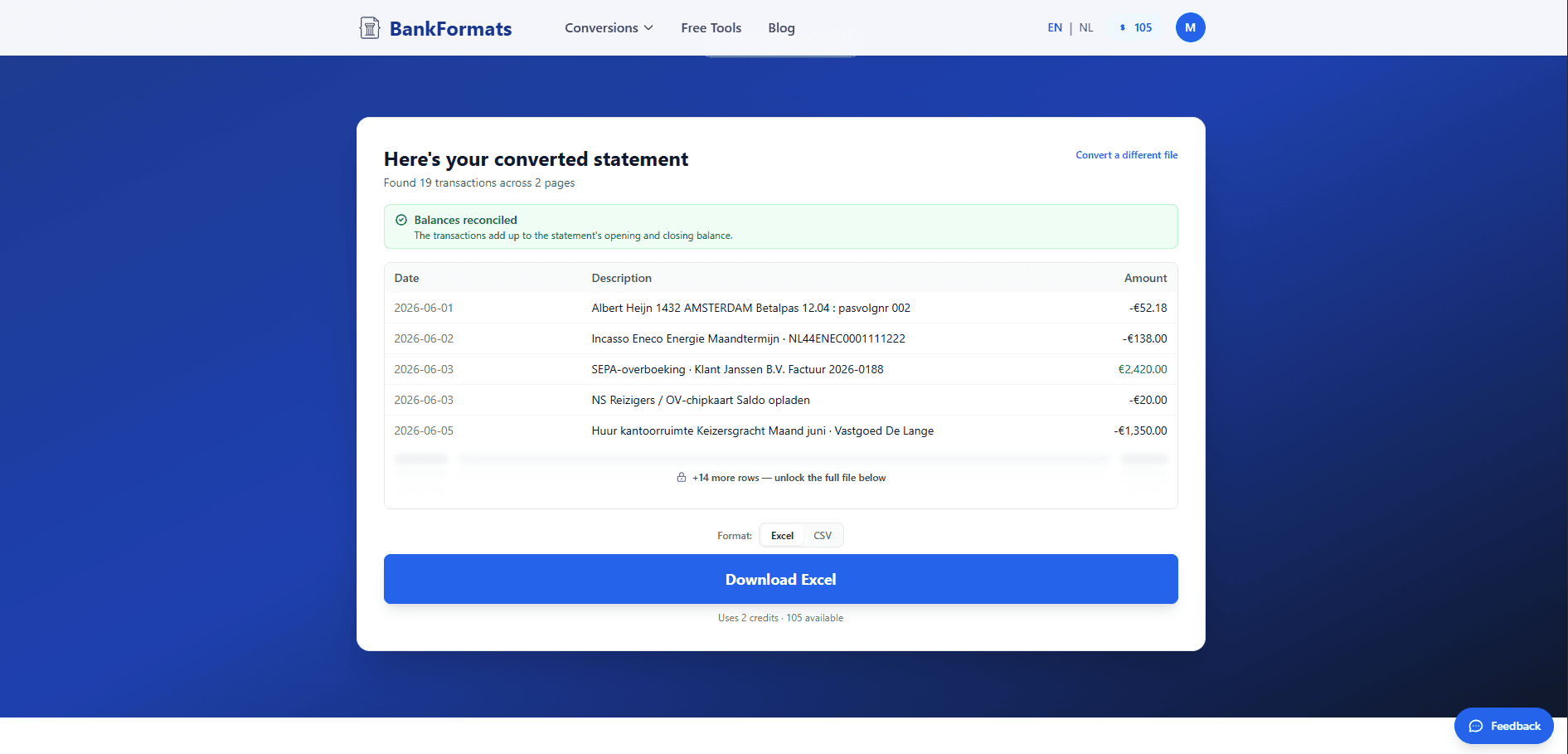
A bank statement converter turns the PDF statements your bank gives you into structured, editable data — a spreadsheet you can sort, filter, total, and import. Instead of retyping every transaction by hand, BankFormats reads the date, description, and amount columns straight out of the PDF and rebuilds them as clean rows and columns.
Most people reach for a converter because copying and pasting from a PDF destroys the table: dates collide with descriptions, amounts land in the wrong place, and a month of activity becomes an unusable wall of text. A purpose-built bank statement converter understands that a statement is a ledger, not a document, and preserves that structure on the way out.
The whole job takes seconds. Upload your PDF, let it parse, and preview the result instantly — no account needed. Sign up to download, and your first 3 pages are free. Nothing about your finances is retyped, reformatted, or lost along the way.
Convert to Excel or CSV — whichever your software expects
Two output formats cover almost every workflow. Excel (XLSX) is the right pick when you want to open the file, total a column, build a pivot, or chart your spending — it keeps formatting, formulas, and multiple sheets. If Excel is your destination, our dedicated guide walks through the full process bank by bank.
CSV is the universal import format. Accounting platforms like QuickBooks, Xero, Wave, and Sage, along with most ERP and bookkeeping systems, accept a CSV file directly. Converting a bank statement to CSV gives you a plain, delimiter-separated file that imports cleanly without manual mapping — which is why "bank statement to CSV" and "convert PDF to CSV" are the first step in so many month-end routines.
You choose the format at download; the parsing underneath is identical, so accuracy never depends on which file type you pick.
Built for statements from 1000+ banks
Every bank lays its PDF out differently — column order, date formats, multi-line descriptions, running balances, and footers all vary. BankFormats is tuned to recognise the layouts of the world's most common banks and adapts to the rest automatically.
- United States
- Chase, Bank of America, Wells Fargo, Citibank, Capital One, US Bank, PNC, and American Express.
- United Kingdom
- Barclays, HSBC, Lloyds, NatWest, Santander, Halifax, Monzo, and Revolut.
- Europe
- ING, Rabobank, ABN AMRO, Knab, BNP Paribas, and Deutsche Bank.
- Australia & beyond
- NAB, ANZ, Commonwealth Bank, and Westpac — plus hundreds of regional and online banks.
Don't see your bank listed? It almost certainly still works. The converter reads the structure of the statement itself rather than relying on a fixed template per bank, so new and niche institutions convert just as reliably as the majors.
Who uses a bank statement converter
Anyone who needs the numbers out of a PDF and into something they can actually work with. The most common use cases:
- Accountants & bookkeepers
- Process statements for many clients at once, then import the CSV straight into the ledger instead of keying transactions by hand at month-end.
- Small business owners
- Reconcile accounts, track cash flow, and prep for tax season without paying for full accounting software you don't otherwise need.
- Loan & mortgage applications
- Lenders often ask for several months of statements. Converting them to a spreadsheet makes it easy to summarise income and spending the way underwriters want to see it.
- Personal budgeting
- Pull a year of transactions into one sheet, categorise them, and finally see where the money actually goes.
Private by design, processed in the EU
Financial data deserves better than an anonymous upload box. Your files are processed on EU servers under strict GDPR rules, and they are deleted automatically after conversion — we never store your statements or sell your data. The conversion happens, you download your file, and nothing lingers.
Because you can preview the full conversion for free without an account, you can confirm the output is exactly what you need before committing to anything. Convert a statement, check the preview, then sign up to download — the first 3 pages are free.